Apple Studio Display 2026 vs XDR: Specs, India Pricing & Which to Buy
Apple refreshed its entire monitor lineup in March 2026. Here are the full specs, pricing, and a side-by-side comparison to help you decide which Studio Display
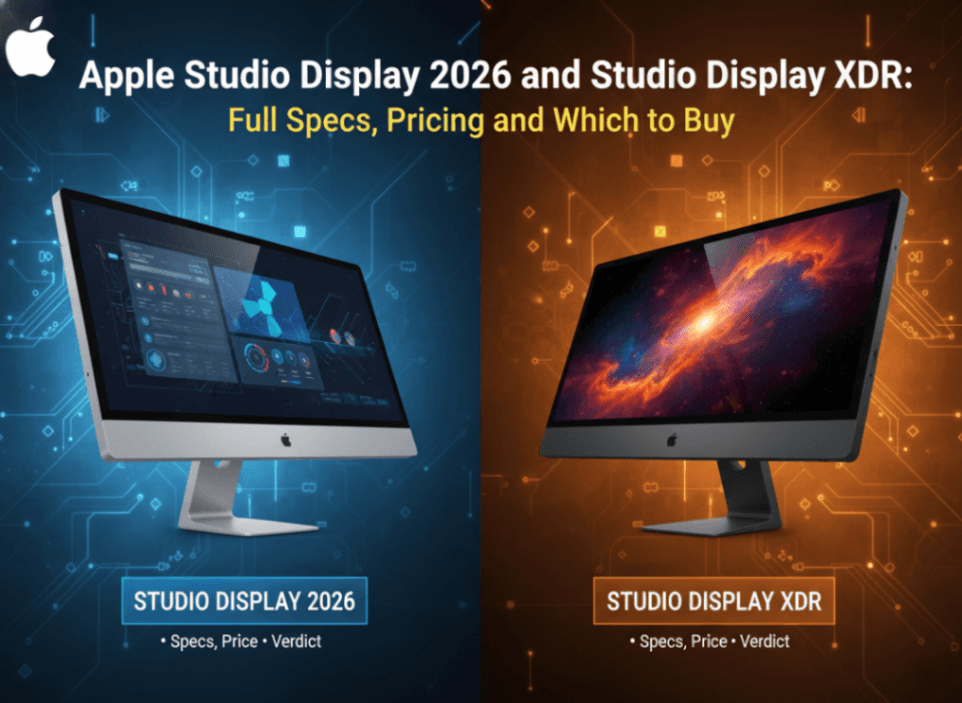
Apple hasn't touched its external display lineup in years. That changes now. At Apple's March 4, 2026 "Special Apple Experience" event, the company announced not one but two new Studio Displays — the refreshed standard model and a brand-new Studio Display XDR that brings mini-LED and ProMotion technology to a 27-inch form factor for the first time. Both go on sale March 11, 2026.
If you've been waiting for Apple to give its monitors a serious update, this is the moment. But the two models serve very different audiences, and at prices of $1,599 and $2,499 respectively, getting this decision right matters. Here's everything you need to know.
Quick Verdict: Which Studio Display Should You Buy?
Before diving into the details, here's the short answer for most people:
Buy the Studio Display 2026 ($1,599) if you want Apple's best 5K display experience for everyday creative work, video calls, and desktop productivity. Thunderbolt 5, Center Stage, and improved audio make this a meaningful upgrade over the previous model.
Buy the Studio Display XDR ($2,499) if you're a professional photographer, video editor, or designer who needs extreme brightness, HDR accuracy, and a smooth 120Hz ProMotion display for high-frame-rate content and animation work. This is effectively a compact Pro Display XDR.
Skip both for now if you're using a MacBook Neo — that machine uses USB 3, not Thunderbolt, and is not compatible with either Studio Display.
Studio Display 2026: What's New vs the Old Model
The original Studio Display launched in March 2022. Four years later, Apple has refreshed it with a handful of meaningful upgrades rather than a ground-up redesign. The chassis looks the same, but the internals are better across the board.
| Feature | Studio Display (2022) | Studio Display 2026 |
|---|---|---|
| Screen size | 27-inch | 27-inch |
| Resolution | 5K (5120×2880) | 5K (5120×2880) |
| Brightness | 600 nits sustained | 600 nits sustained |
| Display type | IPS LCD | IPS LCD |
| Refresh rate | 60Hz | 60Hz |
| Connectivity | Thunderbolt 3 | Thunderbolt 5 |
| Webcam | 12MP ultra-wide | 12MP Center Stage |
| Speakers | Six-speaker sound system | Improved six-speaker with spatial audio |
| Microphones | Three-mic array | Three-mic with directional beamforming |
| Stand | Fixed tilt / VESA / height-adjustable | Fixed tilt / VESA / height-adjustable |
| Starting price | $1,599 | $1,599 |
The connectivity upgrade from Thunderbolt 3 to Thunderbolt 5 is the headlining change. Thunderbolt 5 delivers up to 120Gb/s bandwidth — three times the bandwidth of Thunderbolt 3. That matters if you're connecting high-speed storage, daisy-chaining peripherals, or planning to use a Thunderbolt 5-capable Mac like the new MacBook Pro M5 Pro or M5 Max. For more, see the MacBook Ultra it pairs perfectly with.
The webcam upgrade is also welcome. The original Studio Display's ultra-wide camera was functional but lacked the smart framing that Center Stage provides. The new model's Center Stage camera keeps you centered in frame automatically during video calls — the same experience you get on the latest iPads and iPhones.
Studio Display XDR: Apple Brings Pro Display Tech to a New Size
The Studio Display XDR is the genuinely new product here. Apple has taken the core technology from its $4,999 Pro Display XDR and delivered it in a 27-inch package at $2,499.
The defining feature is the mini-LED backlight with ProMotion adaptive refresh rate technology. This isn't just a spec bump — it's a fundamentally different display experience.
Key specs:
- 27-inch mini-LED display
- ProMotion adaptive refresh: 1Hz to 120Hz
- 1,000 nits sustained brightness
- 1,600 nits peak brightness (HDR)
- Extreme Dynamic Range (XDR)
- P3 wide color gamut
- True Tone
- Thunderbolt 5
- 12MP Center Stage webcam
- Starting price: $2,499
The XDR designation means this display is calibrated for professional color accuracy and extreme dynamic range — the same standard used by the 32-inch Pro Display XDR that Apple sells for $4,999. Getting that in a 27-inch footprint at $2,499 represents a significant step down in price for professional-grade display performance.
ProMotion at 120Hz makes a visible difference for designers and animators who work with motion. Scrolling through long documents, animating in After Effects, or working in Final Cut Pro X at high frame rates — all of these feel noticeably smoother on a 120Hz display compared to 60Hz. The 1Hz floor also helps with battery life when your Mac is connected — the display drops to a low refresh rate when content is static.
The peak brightness of 1,600 nits means HDR content — whether you're color grading footage, editing HDR photos, or watching reference-quality video — looks as it was intended.
Side-by-Side Specs: Studio Display vs Studio Display XDR vs Pro Display XDR
To put Apple's full monitor lineup in context:
| Feature | Studio Display 2026 | Studio Display XDR | Pro Display XDR |
|---|---|---|---|
| Size | 27-inch | 27-inch | 32-inch |
| Resolution | 5K (5120×2880) | 5K (5120×2880) | 6K (6016×3384) |
| Display tech | IPS LCD | Mini-LED | IPS LCD / Nano-texture |
| Refresh rate | 60Hz | 1–120Hz (ProMotion) | 60Hz |
| Sustained brightness | 600 nits | 1,000 nits | 1,000 nits |
| Peak brightness | 600 nits | 1,600 nits | 1,600 nits |
| Dynamic Range | Standard | XDR | XDR |
| P3 wide color | Yes | Yes | Yes |
| True Tone | Yes | Yes | Yes |
| Connectivity | Thunderbolt 5 | Thunderbolt 5 | Thunderbolt 3 |
| Webcam | 12MP Center Stage | 12MP Center Stage | None |
| Built-in speakers | Yes | Yes | No |
| Built-in mic | Yes | Yes | No |
| Starting price | $1,599 | $2,499 | $4,999 |
The table highlights something interesting: the Studio Display XDR now matches the Pro Display XDR on brightness and dynamic range, adds ProMotion (which the Pro Display XDR doesn't have), upgrades to Thunderbolt 5 (vs. Thunderbolt 3 on the Pro Display XDR), and includes a camera and speakers — all in a smaller footprint at half the price.
The Pro Display XDR still wins on resolution (6K vs. 5K) and screen real estate (32-inch vs. 27-inch), which matters for professional video and film workflows that need maximum canvas. But for designers, photographers, and creative professionals who don't specifically need the 6K/32-inch combination, the Studio Display XDR makes a compelling case at $2,499.
Thunderbolt 5: Why the Upgrade Matters
Both new Studio Displays move from Thunderbolt 3 (on the previous model) to Thunderbolt 5. This is worth explaining in detail because the bandwidth jump is substantial.
Thunderbolt 3: Up to 40Gb/s Thunderbolt 4: Up to 40Gb/s Thunderbolt 5: Up to 120Gb/s (bidirectional), with support for up to 240Gb/s in bandwidth-intensive scenarios
For display use, the additional bandwidth means the cable from your Mac to the Studio Display can simultaneously carry:
- The 5K display signal
- High-speed data to external NVMe drives connected via the display's downstream Thunderbolt ports
- Up to 96W of charging power to your connected MacBook
- USB 3.2 data to downstream peripherals
In practice, if you're running a Mac with Thunderbolt 5 — the MacBook Pro M5 Pro and M5 Max both ship with Thunderbolt 5 ports — you can build a single-cable desktop setup where one Thunderbolt 5 cable from your MacBook Pro to the Studio Display handles your display, your charge, and your peripheral hub simultaneously, with bandwidth left over for fast NVMe storage.
This is a meaningful quality-of-life upgrade for professionals who frequently move between desk and travel setups. One cable in, fully connected. One cable out, fully portable.
For users on older Macs with Thunderbolt 3 or 4, both Studio Displays remain fully compatible — you just won't see the full Thunderbolt 5 bandwidth benefit until you upgrade your Mac.
The Webcam and Audio Upgrades: Finally Worth Using
The original Studio Display's 12MP ultra-wide camera was one of its most criticized features at launch. The ultra-wide field of view was too wide for one-on-one video calls, making faces appear distant and the background dominant. It also lacked Center Stage, which became a standard feature on iPads.
The 2026 Studio Display fixes both issues. The updated 12MP camera includes Center Stage — Apple's machine learning-based auto-framing technology that tracks your face and dynamically adjusts the crop so you stay centered in frame, whether you're sitting still or moving around your desk.
Center Stage was refined significantly across iPad generations and now works smoothly enough that you often forget it's running. For anyone who takes video calls seriously — and after several years of remote work, that's most professionals — this upgrade alone makes the 2026 Studio Display a more compelling purchase than its predecessor.
The audio improvements are similarly welcome. Apple's original Studio Display already offered the best built-in sound system available in any monitor. The 2026 model improves on that six-speaker system with better spatial audio performance, and the three-mic array gains directional beamforming — a feature that focuses pickup on voices in front of the display while rejecting noise from behind and to the sides.
The Studio Display XDR shares these same camera and audio improvements. Both models now offer a genuinely useful webcam and a microphone array that's competitive with standalone USB mics for casual and professional video conferencing.
Pricing and Value: Is It Worth It vs. Third-Party Monitors?
Let's address the obvious question: can you get a better monitor for less money?
At $1,599, the Studio Display 2026 competes with professional IPS monitors from LG, ASUS ProArt, and Dell UltraSharp. Here's how it stacks up:
What third-party monitors do better:
- LG and ASUS offer 27-inch 4K monitors with 144Hz or 165Hz refresh rates for $400–$700
- Some competitors offer USB-C with 90W charging for under $800
- Third-party OLED options are emerging at the 27-inch 4K size
What the Studio Display does better:
- 5K resolution (5120×2880) offers noticeably sharper pixel density than 4K at 27 inches — especially useful for reading text and fine detail
- Deep macOS integration: True Tone, automatic brightness, and display calibration all work seamlessly
- Center Stage webcam is a genuine system-level feature, not just a hardware addition
- Six-speaker system is unmatched by any other monitor
- Single-cable Thunderbolt 5 connectivity with 96W charging
The 5K resolution point is underrated. At 27 inches, the pixel density of a 5K panel is 218 PPI — significantly crisper than 4K at the same size (163 PPI). If you spend hours reading text, writing code, or working with fine image detail, that difference is visible every day.
For macOS users who spend most of their time at a desk, the Studio Display's integration and build quality justify the premium. For Windows PC users who want a sharp, versatile USB-C monitor, the price is harder to justify — though both Studio Displays are fully compatible with Windows PCs via USB-C.
At $2,499, the Studio Display XDR enters territory where third-party mini-LED competition exists — LG's UltraFine and ASUS ProArt mini-LED displays — but none of them offer the same macOS integration, built-in camera and audio system, and Apple's calibration standards simultaneously.
Who Should Buy Each Model
Studio Display 2026 ($1,599) is right for:
- Mac users who want the best all-in-one desk setup at a sane price
- Professionals who need a sharp, color-accurate 5K display for design, photography, or video work at 60Hz
- Anyone upgrading from the original Studio Display and wants Thunderbolt 5 future-proofing
- Remote workers who want an excellent webcam and microphone built in
- MacBook Air M5, MacBook Pro M5, or Mac mini users building a single-cable desk setup
Studio Display XDR ($2,499) is right for:
- Video editors and colorists who need HDR-accurate monitoring at 1,000+ nits
- Photographers working with HDR image standards (HEIF, HDR JPEG)
- Designers and animators who benefit from 120Hz ProMotion for smoother workflows
- Final Cut Pro and Motion users who want reference-quality preview at native frame rates
- Professionals who were eyeing the Pro Display XDR but want a 27-inch form factor
Neither display is right for:
- MacBook Neo users — the Neo uses USB 3, not Thunderbolt, and does not support either Studio Display
- Budget buyers — LG UltraFine 4K at $699 or the BenQ PD2705U at $599 offer excellent 4K macOS-compatible displays for far less
- Gamers — neither display prioritizes gaming features like G-Sync, FreeSync, or response time optimization
FAQ
Can you use the Studio Display 2026 or Studio Display XDR with a Windows PC?
Yes. Both displays connect via Thunderbolt 5, which is backward compatible with USB-C. Any Windows laptop or desktop with a USB-C port can connect to either Studio Display and use it as an external monitor. You won't get macOS-specific features like True Tone or Center Stage's full integration, but the display output and charging will work. Thunderbolt 5 features require a Windows machine with a Thunderbolt 5 controller.
Is the Studio Display XDR a replacement for the Pro Display XDR?
The Studio Display XDR doesn't replace the Pro Display XDR — Apple still sells the 32-inch 6K Pro Display XDR at $4,999 for users who need the larger screen and higher resolution. But the Studio Display XDR does offer comparable brightness, dynamic range, and color accuracy in a smaller, less expensive package. For many creative professionals, the Studio Display XDR is genuinely the better choice: it's smaller, cheaper, has a built-in camera and speakers, and adds ProMotion 120Hz — a feature the Pro Display XDR doesn't have.
When can you buy the new Studio Displays, and can you order now?
Both the Studio Display 2026 and Studio Display XDR are available from March 11, 2026, the same day as the other products announced at Apple's March 4 event. Orders are open now through Apple's website and Apple retail stores. The height-adjustable stand is available as an upgrade option on both models for an additional cost.
Apple's monitor lineup has needed a refresh for a long time. The Studio Display 2026 delivers a meaningful upgrade to the everyday professional display, while the Studio Display XDR opens up Pro Display XDR-quality imaging to a much wider audience. Whether you're building a new desk setup around a MacBook Air M5 or equipping a professional editing suite, Apple now has a display for both use cases — and both are meaningfully better than what came before.
For a full picture of everything Apple announced this week, see our Apple March 2026 Event Recap. If you're pairing one of these displays with a new MacBook, our MacBook Air M5 Full Specs guide and MacBook Pro M5 Pro vs M5 Max comparison will help you put together the full setup. And for everything else Apple has planned this year, check out Every Apple Product Coming in 2026.