MacBook Pro M5 Pro vs M5 Max: Which to Buy in India? (2026)
MacBook Pro M5 Pro vs M5 Max: Which One Is Actually Worth the Money? Apple's MacBook Pro lineup has always been about raw power, but the 2026 refresh with the M
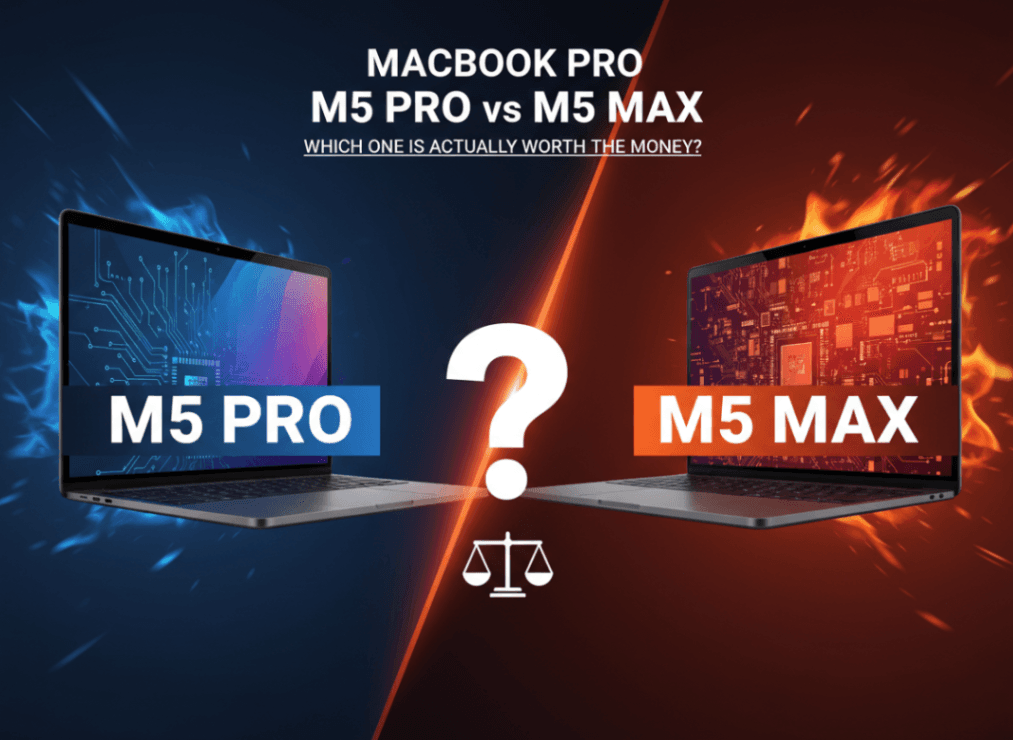
Apple's MacBook Pro lineup has always been about raw power, but the 2026 refresh with the M5 Pro and M5 Max chips raises the stakes higher than ever. These are the most powerful MacBook Pros Apple has ever built — and the specs back that up. But with a $1,400 price gap between the base 14-inch M5 Pro and the base 14-inch M5 Max, the question isn't just "which is faster?" It's "which one do I actually need?"
This guide breaks down every meaningful difference between the M5 Pro and M5 Max — from GPU cores and memory bandwidth to real-world workflows and whether the upgrade from M4 is worth it. If you're spending $2,199 to $3,599+ on a laptop, read this before you click "Buy."
Quick Verdict
Buy the M5 Pro if: You're a developer, designer, content creator, or student doing up to 4K video editing, software development, or 3D modeling. The M5 Pro handles virtually every professional workflow with headroom to spare — and saves you $1,400.
Buy the M5 Max if: You work with 8K+ raw video, run large machine learning models locally, do high-end VFX or 3D rendering, or need more than 64GB of unified memory. The M5 Max is a workstation-class machine in a laptop chassis, and the performance gap is real when you push it.
Full Specs Comparison
| Feature | M5 Pro (14") | M5 Max (14") |
|---|---|---|
| CPU Cores | 18-core (6P + 12E) | 18-core (6P + 12E) |
| GPU Cores | Up to 20 | Up to 40 |
| RAM (base) | 24GB | 24GB |
| RAM (max) | 64GB | 128GB |
| Memory Bandwidth | 307 GB/s | 460–614 GB/s |
| Storage (base) | 1TB | 2TB |
| Storage (max) | 4TB | 8TB |
| Thunderbolt | Thunderbolt 5 | Thunderbolt 5 |
| Starting Price | $2,199 | $3,599 |
The 16-inch models follow the same chip differentiation, with the M5 Max 16" supporting up to 128GB RAM and 8TB of storage — numbers that used to require a Mac Pro.
The Chip Architecture: What's Actually Different
Both the M5 Pro and M5 Max share the same 18-core CPU, built with 6 high-performance "super cores" and 12 efficiency "performance cores." This is a meaningful leap — Apple claims 30% faster CPU performance compared to the M4 Pro and M4 Max. For CPU-bound work like compiling code, running scripts, or processing audio, the two chips are essentially equal.
The divergence happens at the GPU and memory subsystem.
The M5 Pro tops out at 20 GPU cores. The M5 Max doubles that to 40 GPU cores. Both chips deliver a 50% increase in graphics performance over the M4 generation, and both offer 4x the peak GPU compute for AI tasks compared to M4. But doubling the GPU cores on the Max isn't just a spec bump — it translates directly to throughput for parallel workloads: 3D rendering, video encoding, machine learning inference, and anything that saturates the GPU.
The memory architecture is where the Max really separates itself. The M5 Max's memory bandwidth reaches 460–614 GB/s versus the M5 Pro's 307 GB/s. In Apple Silicon, the CPU, GPU, and Neural Engine all share the same unified memory pool. When the GPU is doing heavy lifting — say, rendering a complex 3D scene or running a large language model — memory bandwidth becomes the bottleneck. The Max's wider memory bus means data moves faster, reducing wait times for GPU-intensive tasks.
For more context on how M5 chips compare to the MacBook Air's chip, see our MacBook Air M5 Specs breakdown. For more, see the full MacBook Pro M5 specs and release details. For more, see our MacBook Air vs Pro 2025 deep dive.
Apple's official chip announcements are detailed in the M5 Pro and M5 Max announcement on the Apple Newsroom.
Performance: Real-World Differences Between Pro and Max
On paper, doubling the GPU cores sounds transformative. In practice, the difference depends entirely on your workflow.
Where M5 Pro is more than enough:
- Xcode builds and development workflows
- Final Cut Pro with 4K ProRes footage
- Adobe Premiere with standard color grading
- Blender renders on moderately complex scenes
- Running multiple Docker containers
- Logic Pro sessions with 100+ tracks
Where M5 Max pulls ahead:
- Final Cut Pro with 8K RAW multicam timelines
- Rendering complex Blender or Cinema 4D scenes in half the time
- Running local LLMs with 30B+ parameters (the memory bandwidth matters enormously here)
- DaVinci Resolve with multiple streams of 8K footage and heavy node-based color work
- Unreal Engine 5 real-time rendering
The Macworld specs and performance overview and Tom's Guide's coverage both note that the M5 Max's advantage compounds as workloads get heavier. At lighter loads, the two chips feel nearly identical.
Gizmodo's hands-on with the M5 Max called it "the expensive tank of laptops" — a machine that's overbuilt for most users but genuinely irreplaceable for the right ones.
Memory: When Does 128GB Actually Matter?
This is one of the most misunderstood parts of the Pro vs Max decision. Most people don't need more than 64GB of unified memory. Here's how to think about it.
Apple's unified memory architecture means RAM is shared between the CPU, GPU, and Neural Engine. When you're running a 4K Final Cut timeline, you might use 16–24GB. Running Xcode with multiple simulators open? Maybe 32GB on a heavy day. Even demanding creative workloads often top out well under 64GB.
But 128GB matters in three specific scenarios:
-
Local AI/ML work. Running a 70-billion-parameter model locally requires roughly 40–80GB just to load the weights, depending on quantization. The M5 Max's 128GB ceiling and superior memory bandwidth make it the only MacBook option for this use case. Our article on why AI enthusiasts are causing a Mac shortage explains exactly why demand for high-memory Macs has spiked.
-
VFX and large scene rendering. Complex 3D scenes with high-resolution textures can blow past 64GB. Houdini simulations, large Blender scenes, and Unreal Engine projects with rich asset libraries benefit from every GB.
-
Virtual machines alongside heavy workloads. Developers running Windows or Linux VMs in Parallels while also keeping Xcode and a browser with dozens of tabs open can exceed 64GB.
If none of those scenarios describe your workflow, the M5 Pro's 64GB ceiling is almost certainly enough — and you keep $1,400 in your pocket.
Storage and Connectivity: The Thunderbolt 5 Upgrade
Both the M5 Pro and M5 Max now feature Thunderbolt 5 — a meaningful upgrade from the Thunderbolt 4 found on M4 Pro models. Thunderbolt 5 delivers up to 120 Gbps of bandwidth (compared to 40 Gbps on Thunderbolt 4), which matters for:
- External NVMe enclosures for video editing from external drives
- Daisy-chaining multiple 4K or 6K monitors
- Ultra-fast data transfers to professional RAID arrays
- High-bandwidth peripherals and docking stations
For video editors working from external storage arrays, this upgrade alone is significant. Thunderbolt 5 makes the M5 Pro MacBook Pro a viable hub for a professional editing setup without the bandwidth bottlenecks of previous generations.
On storage: the M5 Max starts at 2TB on the 14-inch (versus 1TB for the M5 Pro), and can be configured up to 8TB on the 16-inch. For editors who keep project files on internal storage, the extra headroom is valuable. The M5 Pro tops at 4TB, which should be enough for most workflows.
14-inch vs 16-inch: Does Size Change the Equation?
The chip itself doesn't change based on screen size — you can get M5 Pro or M5 Max in either 14-inch or 16-inch configurations. But there are a few differences worth noting:
- The 16-inch model supports higher maximum configurations on M5 Max: up to 128GB RAM and 8TB storage
- The 16-inch has a larger battery and slightly better sustained performance under prolonged load
- The 14-inch is more portable at roughly 3.5 lbs vs the 16-inch's 4.7 lbs
For most buyers, the decision between 14-inch and 16-inch comes down to workflow preference — do you need a portable powerhouse or a desktop replacement? The M5 Max in either size delivers the same fundamental performance advantage over M5 Pro; the 16-inch just lets you push the configuration further.
Who Should Buy the M5 Pro?
The MacBook Pro M5 Pro at $2,199 is the right laptop for the vast majority of professionals.
- Software developers running complex builds, multiple simulators, Docker, and IDEs
- Designers using Figma, Adobe Creative Suite, Sketch, and motion graphics tools
- Content creators editing 4K footage, doing color grading, and producing podcasts or YouTube videos
- Students and academics in engineering, architecture, or data science
- Photographers using Lightroom or Capture One with large RAW libraries
- Business professionals who need a premium, fast laptop for demanding multi-tasking
The M5 Pro's 30% CPU improvement over M4 Pro makes it a legitimate upgrade for those coming from M3 or older. The Thunderbolt 5 connectivity and improved GPU also give it headroom for years of professional use.
Who Should Buy the M5 Max?
The MacBook Pro M5 Max at $3,599 earns its price for a specific set of users:
- Professional video editors working with 8K RAW footage in DaVinci Resolve or Final Cut Pro
- Machine learning engineers running local inference on large models (30B+ parameters)
- 3D artists and VFX professionals using Houdini, Cinema 4D, or Blender at production scale
- Motion graphics artists rendering complex After Effects or Nuke compositions
- Audio engineers with enormous session sizes and high track counts in Pro Tools or Logic
- Anyone who needs 128GB RAM — that ceiling is only accessible on M5 Max
- Architects using BIM software with complex, large-scale project files
If your work regularly hits the ceiling of what the M5 Pro can do — and you'd know if it does — the M5 Max removes that ceiling entirely.
Is It Worth Upgrading from M4 Pro or M4 Max?
If you already own an M4 Pro or M4 Max, the honest answer for most users is no, not yet.
The M5 generation is a strong step forward — 30% faster CPU, 50% better GPU performance — but Apple Silicon upgrades tend to be most impactful every two generations. If you're on an M3 or older Mac, the M5 is a substantial leap. If you're on an M4, your machine is still competitive for virtually every professional workflow.
The exceptions: if you're bumping against memory limits on your current machine, the jump to M5 Max's 128GB ceiling is a legitimate reason to upgrade. Same if the Thunderbolt 5 connectivity matters for your external storage setup.
For the full picture of what Apple announced alongside these MacBook Pros, check our Apple March 2026 Event Recap and our guide to every Apple product coming in 2026.
The MacBook Neo is also worth considering if you're looking for Apple silicon on a significantly smaller budget.
Final Verdict
The MacBook Pro M5 Pro is the laptop for professionals who want the best performance per dollar. It's faster than anything most people will ever need, now ships with Thunderbolt 5, and starts at $2,199. For developers, designers, 4K video editors, and the vast majority of creative professionals, it's the right call.
The MacBook Pro M5 Max is for the people who will genuinely use what it offers — double the GPU cores, nearly double the memory bandwidth, and the ability to configure up to 128GB RAM and 8TB storage. It's a workstation that happens to run on battery. If that's what your work demands, the $1,400 premium is justified.
The $1,400 question isn't really about the chips. It's about your workflow. Be honest with yourself about what you actually do, look at your Activity Monitor's memory pressure, and choose accordingly. Both are exceptional machines. One is just a lot more machine than most people need.
FAQ
Is M5 Pro enough for video editing?
Yes, for the vast majority of video editing workflows. The M5 Pro handles 4K ProRes footage in Final Cut Pro and DaVinci Resolve with ease, including color grading and effects. You would only start to see limitations with 8K RAW multicam timelines or extremely complex node-based color work — and even then, the M5 Pro can handle it, just with longer render times than the M5 Max.
What is the difference between M5 Pro and M5 Max?
The core difference is GPU performance and memory capacity. The M5 Max has 2x the GPU cores (40 vs 20), 50–100% more memory bandwidth (460–614 GB/s vs 307 GB/s), and can be configured with up to 128GB of unified memory (vs 64GB on M5 Pro). Both chips share the same 18-core CPU, so CPU-bound tasks see identical performance. The M5 Max's advantages show up in GPU-intensive work: 3D rendering, 8K video, AI inference, and large scene VFX.
Is M5 Max worth $1,400 more than M5 Pro?
For most buyers, no — the M5 Pro is more than capable for professional work. The M5 Max is worth the premium if you regularly work with 8K+ video, run large local AI models requiring 64GB+ of RAM, or do production-scale 3D rendering and VFX. If you can look at your current Mac's memory pressure and storage usage and see you're consistently maxing out, the M5 Max makes sense. If you're not, the M5 Pro saves you $1,400 without a meaningful workflow penalty.