Best MacBook for Students in India 2026: Neo vs Air vs Pro
Complete guide comparing MacBook Neo, Air M5, and Pro M5 for Indian students in 2026. Includes India pricing, education discounts, EMI options, course-specific recommendations, and honest buying advice.
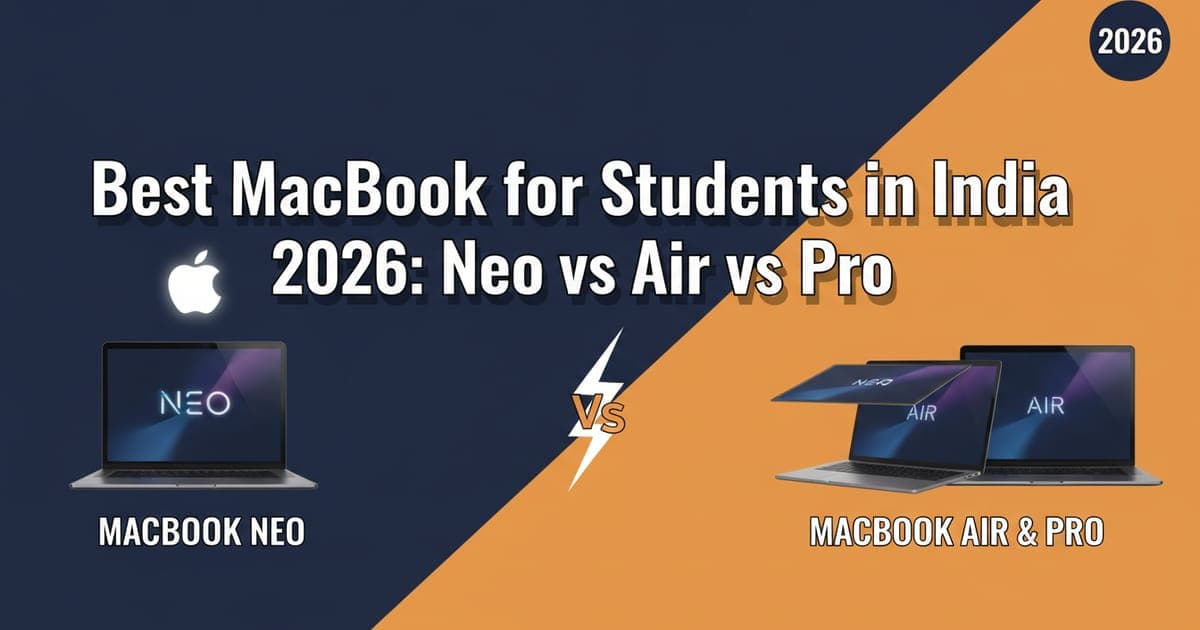
Buying your first MacBook as a student in India used to mean one decision: MacBook Air or save up for the Pro. In 2026, Apple threw a curveball. The MacBook Neo starts at ₹49,900, the Air M5 sits at ₹1,14,900, and the Pro M5 begins at ₹1,69,900. Three very different machines at three very different price points — and picking the wrong one means either wasting money or being stuck with something that can't keep up.
This guide breaks down exactly which MacBook makes sense for different types of students in India, with real pricing, performance comparisons, and no sugarcoating.
Why Students Are Choosing MacBooks in 2026
The Mac ecosystem has become hard to ignore for students. macOS integrates with iPhones (which dominate the premium segment in Indian colleges), AirDrop makes file sharing effortless, and the battery life on Apple Silicon leaves most Windows ultrabooks behind.
But the real shift happened with the MacBook Neo launch. At ₹49,900, Apple now competes directly with mid-range Windows laptops — the segment most Indian students actually buy from. That changes the entire conversation.
Add Apple's education pricing (available through the Apple Store for Education in India), and the value proposition gets even stronger. Students get ₹5,000–₹10,000 off depending on the model, plus free AirPods during the Back to School promotion that typically runs July through September.
MacBook Neo: The Budget Pick at ₹49,900
The MacBook Neo runs on the A18 Pro chip (the same silicon from the iPhone 16 Pro), has 8GB unified memory, a 13.3-inch Liquid Retina display, and two USB-C ports. It weighs just 1.24 kg.
Who it's for: Students who primarily need a laptop for note-taking, browsing, document editing, coding assignments, and light photo work. If your coursework lives inside Google Docs, Microsoft Office, and a web browser, the Neo handles it without flinching.
Where it struggles: The 8GB RAM ceiling means you'll feel the pinch with heavy multitasking — say, running Xcode while keeping 30 Chrome tabs and Slack open. Video editing in Final Cut Pro works for short clips but gets sluggish with 4K timelines longer than 10 minutes. And the single-monitor support limits its use as a desktop replacement.
India pricing:
- 8GB / 256GB: ₹49,900 (education: ~₹46,900)
- 8GB / 512GB: ₹59,900 (education: ~₹56,900)
For the detailed breakdown, check our MacBook Neo vs MacBook Air M5 comparison.
MacBook Air M5: The Sweet Spot at ₹1,14,900
The MacBook Air M5 is where most students should look if budget allows. The M5 chip delivers roughly 25% better CPU performance and 30% better GPU performance over the M4, with 16GB of unified memory as the new base configuration.
The 13.6-inch Liquid Retina display is brighter and larger than the Neo's panel, MagSafe charging frees up both USB-C ports, and it supports two external displays with the lid closed. Battery life sits at a genuine 14–16 hours depending on workload.
Who it's for: Engineering students running MATLAB, architecture students using AutoCAD, design students in Figma, CS students compiling code in Xcode or VS Code — basically anyone whose coursework involves software more demanding than a web browser.
Where it struggles: Sustained heavy workloads like 3D rendering or machine learning training. The fanless design means thermal throttling kicks in during prolonged CPU-intensive tasks. If you're a data science student running large model training jobs, you'll need the Pro.
India pricing:
- 16GB / 256GB: ₹1,14,900 (education: ~₹1,06,900)
- 16GB / 512GB: ₹1,34,900 (education: ~₹1,24,900)
- 24GB / 512GB: ₹1,54,900 (education: ~₹1,44,900)
The 24GB variant is worth considering if you plan to keep the laptop through your entire degree. RAM needs only go up as software evolves.
MacBook Pro M5: Overkill or Future-Proof?
The MacBook Pro M5 Pro starts at ₹1,69,900 and brings a ProMotion 120Hz display, active cooling fans, an HDMI port, an SD card slot, and the M5 Pro chip with 18GB unified memory. The display alone — brighter, HDR-capable, and 120Hz — makes extended screen time noticeably more comfortable.
Who it's for: Film students editing 4K/8K footage, music production students running Logic Pro with dozens of tracks, computer science students working with ML frameworks, or anyone who needs a machine that won't throttle during sustained heavy use. The fans make a real difference for all-day compilation jobs.
Where it struggles: It's heavy at 1.55 kg (14-inch), expensive, and complete overkill if you're majoring in English literature. The ₹1,69,900 starting price is a hard sell for most Indian student budgets unless you're genuinely using professional-grade software.
India pricing:
- M5 Pro 18GB / 512GB: ₹1,69,900 (education: ~₹1,57,900)
- M5 Pro 18GB / 1TB: ₹1,99,900 (education: ~₹1,87,900)
- M5 Max configurations: ₹2,99,900+ (education pricing varies)
Head-to-Head Comparison: Neo vs Air M5 vs Pro M5
Here's how the three stack up on the specs that matter most for students:
Processor: Neo uses A18 Pro (mobile chip), Air M5 and Pro M5 use full Apple Silicon M-series chips. The M5 is roughly 2–3x faster than the A18 Pro in multi-core tasks.
RAM: Neo maxes at 8GB. Air M5 starts at 16GB. Pro M5 starts at 18GB. For longevity, 16GB is the realistic minimum in 2026.
Display: Neo has a 13.3-inch Liquid Retina (60Hz). Air M5 has 13.6-inch Liquid Retina (60Hz). Pro has 14.2-inch Liquid Retina XDR (120Hz ProMotion). The Pro's display is in a different league for colour accuracy and smoothness.
Battery: Neo claims 15 hours, Air M5 claims 18 hours, Pro claims 17 hours. Real-world student use (mixed browsing, documents, light media) puts them at roughly 10, 14, and 13 hours respectively.
Weight: Neo at 1.24 kg, Air at 1.24 kg, Pro at 1.55 kg. The Neo and Air are equally portable.
Ports: Neo has 2 USB-C. Air has 2 USB-C + MagSafe. Pro has 3 USB-C/Thunderbolt + MagSafe + HDMI + SD card.
Best MacBook by Course and Use Case
Picking the right Mac depends more on what you're studying than your general preferences:
Arts, Commerce, Humanities, Law: MacBook Neo. You need a reliable machine for writing, research, and presentations. The Neo handles all of that and costs less than most mid-range Android phones. Spend the savings on books or an iPad for note-taking.
Engineering (non-CS), Science, Mathematics: MacBook Air M5. Software like MATLAB, SolidWorks (via Parallels), and statistical tools benefit from the extra RAM and CPU headroom. The 16GB base gives you room to breathe.
Computer Science and IT: MacBook Air M5 (16GB minimum, 24GB preferred). Xcode, Docker, multiple dev environments, local servers — this is RAM-hungry territory. The 24GB Air M5 is the sweet spot unless you're doing ML work, in which case step up to the Pro.
Design, Architecture, Film: MacBook Pro M5. Creative workflows in Final Cut Pro, DaVinci Resolve, Blender, and Adobe Creative Suite push sustained workloads where the Pro's active cooling prevents throttling. The ProMotion display also matters for colour-critical work.
MBA and Business: MacBook Air M5 (16GB / 256GB). Excel, PowerPoint, Zoom calls, and light data analysis run perfectly on the base Air. The MagSafe port frees up USB-C for presentations.
Apple Education Pricing and Student Discounts in India
Apple's Education Store in India (apple.com/in-edu/shop) offers discounts to current and newly accepted university students, parents buying on their behalf, and faculty. You don't need a .edu email — Apple verifies through UNiDAYS.
Current education discounts for 2026:
- MacBook Neo: up to ₹3,000 off
- MacBook Air M5: up to ₹8,000 off
- MacBook Pro M5: up to ₹12,000 off
- Free AirPods (4th gen) during Back to School (typically July–September)
Third-party retailers like Croma, Reliance Digital, and Amazon India also run student offers, but they rarely match Apple's direct education pricing. The exception is during festive sales (Diwali, Republic Day) when exchange offers can stack meaningfully.
Pro tip: If you already have an older laptop or MacBook, Apple's trade-in program gives you instant credit. Even a 5-year-old MacBook Air can fetch ₹10,000–₹20,000 depending on condition.
EMI Options for Students in India
Let's be honest — even the Neo at ₹49,900 is a significant purchase for most Indian students. Here are the realistic financing options:
No-Cost EMI: Available on the Apple Store, Amazon, and Flipkart on select credit cards. The Neo breaks down to roughly ₹4,200/month over 12 months. The Air M5 comes to about ₹9,500/month.
Bajaj Finserv EMI Card: Works at Croma and Apple authorized resellers. Zero down payment, 12–24 month tenure. Popular among students who don't have credit cards.
Bank education loans: Some banks include laptop purchases as part of education loan disbursements. Check with your bank if you're already taking an education loan for tuition.
Refurbished options: Apple's Certified Refurbished store (apple.com/in/shop/refurbished) sells previous-gen MacBooks at 15–20% off with full warranty. A refurbished MacBook Air M4 at ₹85,000 is genuinely excellent value if the M5's improvements don't matter to you.
Common Mistakes Students Make When Buying a MacBook
Overspending on storage: Cloud storage is cheap. iCloud's 200GB plan costs ₹129/month. Don't pay ₹10,000–₹20,000 extra for the 512GB upgrade unless you work with large media files. The 256GB base is fine for most students if you use cloud storage smartly.
Ignoring AppleCare+: MacBook repairs in India are expensive. A screen replacement on the Air M5 costs upward of ₹35,000 without AppleCare+. The plan costs ₹14,900 for the Air and covers accidental damage. For a laptop you'll use daily for 3–4 years, it's worth it.
Buying the Pro "just in case": If you're spending ₹1,69,900 on a Pro because you might need it someday, you probably don't need it. Buy the Air and invest the ₹55,000 difference in peripherals, software subscriptions, or savings.
Skipping accessories: A good laptop stand (₹1,500–₹3,000), an external keyboard for desk use, and a USB-C hub (₹2,000–₹4,000) dramatically improve the student experience. Budget for these alongside the laptop.
The Verdict: Which MacBook Should You Buy?
Under ₹55,000 budget → MacBook Neo (₹49,900) Best for: Arts, commerce, humanities students. Basic computing needs. Tightest budgets.
₹1,00,000–₹1,40,000 budget → MacBook Air M5 16GB (₹1,14,900) Best for: Most students. Engineering, CS, business, design. The default recommendation.
₹1,40,000+ budget → MacBook Air M5 24GB (₹1,54,900) Best for: CS students, future-proofers, anyone planning to keep it 4+ years.
₹1,60,000+ budget → MacBook Pro M5 (₹1,69,900) Best for: Film, music production, ML, heavy creative work. Only if you genuinely need sustained performance.
If you're unsure, buy the Air M5 with 16GB. It handles 95% of student workloads, lasts a full day on a charge, and won't feel slow for at least 4–5 years. That's the honest recommendation.
FAQ
Is the MacBook Neo good enough for engineering students?
It depends on the branch. For most first-year coursework — programming basics, document editing, presentations — the Neo is adequate. But by second or third year, engineering students often run heavier software (MATLAB, simulation tools, IDEs with multiple projects). The 8GB RAM becomes a bottleneck. If you can stretch the budget, the MacBook Air M5 with 16GB is the safer long-term choice for engineering.
Can I run Windows on a MacBook for college software?
Yes, through Parallels Desktop (₹6,999/year student license) or UTM (free). Most Windows-only software used in Indian colleges — Tally, specific CAD tools, .NET development environments — runs well on Apple Silicon through virtualisation. Performance is better on the Air M5 and Pro M5 due to higher RAM and stronger chips. The Neo can handle lightweight Windows apps but struggles with demanding ones.
Should I buy a MacBook or an iPad for college?
They serve different purposes. A MacBook is a full computer — you can code, run professional software, manage files, and multitask properly. An iPad excels at note-taking with Apple Pencil, reading, and portability. Most students benefit more from a MacBook as their primary device. If budget allows, pair a MacBook Neo (₹49,900) with a base iPad (₹37,900) for the best of both worlds. Check our M4 iPad Air review if you're considering the premium tablet route.