OpenClaw v2026.3.8 Released: Backup Tools, 280K Stars, and GPT-5.4 Support
OpenClaw v2026.3.8 ships a local backup CLI, ACP provenance metadata, Talk mode silent timeout, and 12+ security patches as the project surpasses 280,000 GitHub stars.
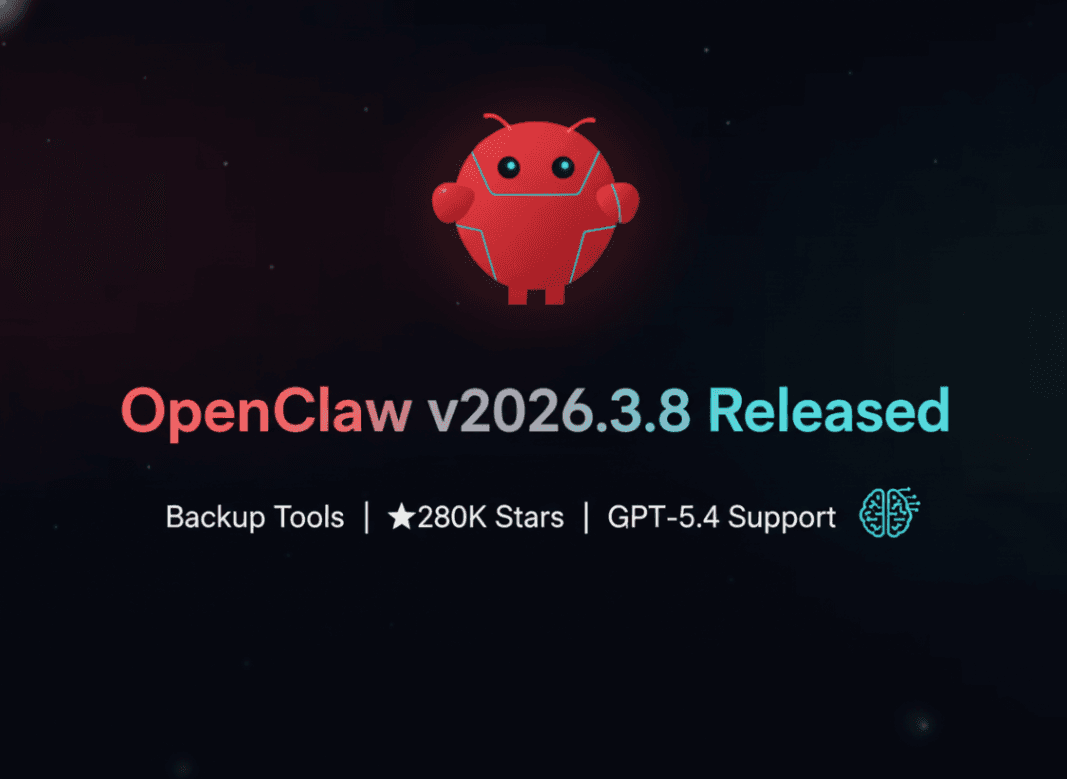
OpenClaw just crossed 280,000 GitHub stars. That number matters more than it sounds — it officially puts OpenClaw past React's all-time peak, which means the world's most popular AI agent framework now has a larger GitHub following than one of the most influential JavaScript libraries ever created.
And the team didn't stop to celebrate. On March 8, 2026, they shipped v2026.3.8 — a packed release with a long-overdue backup CLI, ACP provenance metadata for multi-agent security, Talk mode improvements, Brave Search LLM context integration, gateway reliability fixes, and over 12 security patches. Oh, and it builds on the GPT-5.4 full support that landed in v2026.3.7.
This is one of those releases where the changelog is worth reading slowly. Let's do that.
OpenClaw Just Passed 280,000 GitHub Stars — Here's Why That's a Big Deal
Numbers on GitHub don't tell the whole story, but sometimes they tell enough of it.
In early March 2026, OpenClaw surpassed 250,000 stars — a milestone covered by Yahoo Finance and ACCESS Newswire with the headline noting it had overtaken React. By the time v2026.3.8 shipped on March 8, the counter had climbed past 280,000.
To put that in context: React, the JavaScript UI library that underpins a massive slice of the modern web, had accumulated its star count over more than a decade of widespread adoption, tutorials, and corporate endorsement. OpenClaw passed it within a fraction of that timeframe. The project went from a niche developer tool to a community phenomenon at a pace few open-source projects have matched.
Why the explosive growth? A few converging factors. The rise of LLMs as a platform, the demand for self-hosted AI agents, and OpenClaw's deliberate choice to stay open-source and modular. Developers who want an AI agent they control — not a black-box SaaS — keep discovering OpenClaw and sticking with it.
The 280K milestone also signals something practical: the ecosystem around OpenClaw is enormous. More plugins, more integrations, more Stack Overflow answers, more community-written tutorials. If you're evaluating AI agent frameworks in 2026, the community size alone makes OpenClaw a hard default.
What's New in v2026.3.8: Full Changelog Breakdown
Here's what shipped in v2026.3.8, organized by impact:
New Features
- Local backup CLI (
openclaw backup createandopenclaw backup verify) with--only-configand--no-include-workspaceflags - Talk mode configurable silence timeout via
talk.silenceTimeoutMs - Brave Search LLM context mode (
tools.web.search.brave.mode: "llm-context") — feeds search results directly into LLM context - ACP provenance metadata for multi-agent identity verification and tracing
Reliability Fixes
- Gateway restart timeout recovery — ensures proper
systemd/launchdrestarts when shutdown drains exceed timeout - Config restart guard — validates configuration before startup to prevent crashes from invalid settings
- LaunchD respawn detection — treats
XPC_SERVICE_NAMEas a supervision hint for clean macOS restarts - macOS auto-re-enables LaunchAgent service if it was disabled
Platform Improvements
- Android: Removed unused Play Store permissions (
self-update,background-location,screen.record,background mic) - WSL2: New
browser.relayBindHostoption for Chrome relay access - Container: Podman/SELinux auto-detection adds
:Zvolume relabel flag - TUI: Light terminal theme detection via
COLORFGBGenvironment variable
Bug Fixes
- Telegram DM deduplication per agent — duplicate messages are now correctly filtered
- 12+ security patches across the core runtime
No breaking changes in this release. ClawCloud (managed) instances receive the update automatically.
The Backup CLI: Why This Feature Was So Overdue
If you've been running OpenClaw in production, you already know the problem. Your agent builds up state — conversation history, memory, tool configurations, custom workflows. Over time, that state becomes genuinely valuable. And until v2026.3.8, there was no first-party way to archive it.
Community workarounds existed: manual file copies, custom cron jobs pointing at the data directory, third-party scripts shared on Discord. None of them were reliable across platform updates.
The new backup CLI solves this properly.
# Create a full backup
openclaw backup create

# Create a config-only backup (no workspace data)
openclaw backup create --only-config

# Create a backup excluding workspace files
openclaw backup create --no-include-workspace

# Verify a backup archive
openclaw backup verify ./openclaw-backup-2026-03-08.tar.gz
The --only-config flag is particularly useful for teams managing multiple agent instances. You can snapshot your configuration separately from your runtime state, making it easy to replicate environments or roll back a config change without touching accumulated memory or history.
The backup verify command adds a layer of confidence that wasn't there before — you can confirm a backup is intact before relying on it for a restore. This matters in production contexts where a corrupted backup discovered mid-incident is its own kind of disaster.
For teams running OpenClaw on self-hosted infrastructure or in CI/CD pipelines, this feature unlocks proper disaster recovery workflows. Pair it with a scheduled task and offsite storage, and you have a real backup strategy — not a workaround.
ACP Provenance: What It Means for Multi-Agent Security
As OpenClaw deployments have scaled up, a new class of problem has emerged: in multi-agent systems, how does one agent know who it's actually talking to?
The Agent Communication Protocol (ACP) is OpenClaw's framework for structured inter-agent communication. It defines how agents send messages, invoke tools, and delegate tasks to each other. But the previous implementation had a gap: an agent receiving a message couldn't easily verify the identity or origin of the sender.
v2026.3.8 adds provenance metadata to ACP messages. In practice, this means:
- Identity verification: Agents can confirm they're interacting with a known, trusted agent — not a spoofed identity injected by a malicious input or a misconfigured routing layer.
- Multi-agent tracing: Each message in a multi-agent workflow now carries traceable provenance, making it possible to reconstruct the full chain of agent interactions for debugging or audit purposes.
- Reduced spoofed-identity risk: In complex agent pipelines where one agent orchestrates several sub-agents, provenance metadata acts as a chain of custody that's hard to forge without access to the signing infrastructure.
This is the kind of security primitive that becomes critical as people move from toy demos to real production deployments. When your AI agents are handling customer data, executing transactions, or interfacing with external APIs, you need to know the message chain is trustworthy end to end.
The implementation is backward compatible — existing ACP integrations continue to work, with provenance enrichment available as an opt-in that becomes more powerful as more agents in a system adopt it.
For security-conscious teams, this is the feature in v2026.3.8 that deserves the most attention. See also: OpenClaw Security: What You Need to Know.
Memory Hot Swapping: The Feature Developers Waited 6 Months For
This one didn't ship in v2026.3.8 — it shipped in the v2026.3.7 context engine update that set the stage for it — but it's worth covering because it's the feature the community has been asking about the longest.
Memory hot swapping lets you plug and unplug an AI agent's memory without restarting the agent process. Six months in development, and the wait was worth it.
Before this, updating an agent's memory — swapping in a new knowledge base, rotating out stale context, changing the memory backend — required a full agent restart. In production deployments, that means downtime. For voice agents and long-running chat integrations, it meant dropped sessions and interrupted conversations.
Hot swapping changes the mental model entirely. You can now:
- Swap in a new memory backend while the agent is handling active sessions
- Rotate knowledge bases on a schedule without maintenance windows
- A/B test different memory configurations against live traffic
- Recover from a corrupted memory state by hot-swapping to a clean snapshot — without taking the agent offline
The implementation builds on the Context Engine plugin introduced in v2026.3.7, which gave the memory subsystem a cleaner API boundary. That architectural work is what made hot swapping achievable without destabilizing the runtime.
For developers who have been working around this limitation with custom restart scripts and load balancers, memory hot swapping is a genuine quality-of-life upgrade that simplifies infrastructure significantly.
GPT-5.4 + OpenClaw: Setting Up the Combination
v2026.3.7 shipped full GPT-5.4 support, and v2026.3.8 builds on that foundation. Industry coverage has started describing the GPT-5.4 and OpenClaw combination as the strongest personal AI employee configuration available in 2026. For more, see how GPT-5.4 compares to Claude and Gemini.
That characterization holds up in practice. GPT-5.4 brings substantially improved instruction-following, stronger long-context reasoning, and better tool-use reliability compared to its predecessors. When those capabilities are paired with OpenClaw's agent orchestration, plugin ecosystem, and persistent memory, you get something that behaves meaningfully like a capable, autonomous assistant rather than a stateless chatbot.
To configure OpenClaw with GPT-5.4, update your openclaw.config.yaml:
model:
  provider: openai
  name: gpt-5.4
  api_key: YOUR_OPENAI_API_KEY

memory:
  enabled: true
  backend: local  # or "vector" for semantic memory

tools:
  web:
    search:
      brave:
        enabled: true
        mode: "llm-context"  # New in v2026.3.8
The Brave Search LLM context mode introduced in v2026.3.8 pairs particularly well with GPT-5.4. Instead of returning raw search results for the model to parse, llm-context mode pre-processes Brave Search results into a compact, structured context block optimized for LLM consumption. The result is faster, more accurate responses to queries that require current information — without burning through context window space on verbose HTML-to-text conversions.
For voice interactions, the new talk.silenceTimeoutMs configuration lets you tune how long OpenClaw waits before treating a pause in speech as the end of an input. Default values work well for most use cases, but custom tuning matters for environments with background noise or users who speak with natural pauses:
talk:
  silenceTimeoutMs: 1200  # ms — adjust for your environment
This combination — GPT-5.4, persistent memory, Brave Search context mode, and tuned Talk mode — represents the current ceiling of what an OpenClaw deployment can do out of the box.
How to Update to v2026.3.8
Updating is straightforward regardless of how you're running OpenClaw.
npm (global install)
npm update -g openclaw
openclaw --version  # Should show v2026.3.8
Docker
docker pull openclaw/openclaw:2026.3.8
# Or use :latest to always get the current release
docker pull openclaw/openclaw:latest
ClawCloud (managed platform) No action needed. ClawCloud instances running v2026.3.x receive this update automatically. Your WhatsApp and Telegram one-click connected agents will be updated without any interruption to service.
Self-hosted (binary install)
openclaw update
# Or manually download from github.com/openclaw/openclaw/releases
Before updating a production instance, run a backup first — especially now that the backup CLI makes it trivial:
openclaw backup create --only-config
openclaw update
If anything looks off after the update, you have a verified config snapshot to restore from. See the full release notes on GitHub for the complete changelog.
For context on what changed in previous releases, OpenClaw v2026.2.17 covered Claude Sonnet 4.6 and 1M context support.
Frequently Asked Questions
Does v2026.3.8 have any breaking changes?
No. The release notes explicitly confirm no breaking changes. Existing configurations, plugins, and ACP integrations continue to work without modification. The ACP provenance feature is opt-in, and the new backup CLI is additive.
How much does running OpenClaw with GPT-5.4 cost?
This depends on your usage volume and the OpenAI pricing tier for GPT-5.4 at the time you're reading this. For a realistic breakdown of what running OpenClaw actually costs across different configurations and usage levels, see Running OpenClaw Isn't Free: Real Cost Breakdown.
I'm new to OpenClaw — should I start with v2026.3.8?
Yes, always start with the latest stable release. For a solid foundation on what OpenClaw is and how it works before diving into the changelog details, What Is OpenClaw? is the right starting point. If you're wondering how the project grew this fast, From Zero to 145,000 GitHub Stars covers the backstory.
v2026.3.8 is a mature, well-rounded release. The backup CLI fills a real production gap. ACP provenance is security infrastructure that's going to matter more as multi-agent deployments scale. The gateway reliability fixes make self-hosted instances meaningfully more stable. And with GPT-5.4 support already in place from v2026.3.7, the current OpenClaw stack is as capable as it's ever been.
The 280,000 stars aren't just a vanity metric. They reflect a community that has decided this is the AI agent framework worth betting on. Releases like this one explain why.